Make food tracking fit your day.
Nutrition is built around one idea: logging a meal should use whichever method fits the moment. Six ways to capture food, targets that adapt to what you actually eat, and meal planning on the same weekly plan as everything else.
- Layer
- Nutrition
- Capture
- Search · Barcode · Photo · Voice · Text · Manual
- AI
- Photo, voice & description capture
- Platforms
- Android beta · Desktop web
Food logging fails on friction
Most people quit food tracking because every meal costs too much effort, or because the app forces one method (a search box, a barcode, a camera) when the meal in front of them needs another.
Calorie targets have the opposite problem: they're set once from a formula and never learn from what actually happens to your weight.
The Nutrition layer, feature by feature.
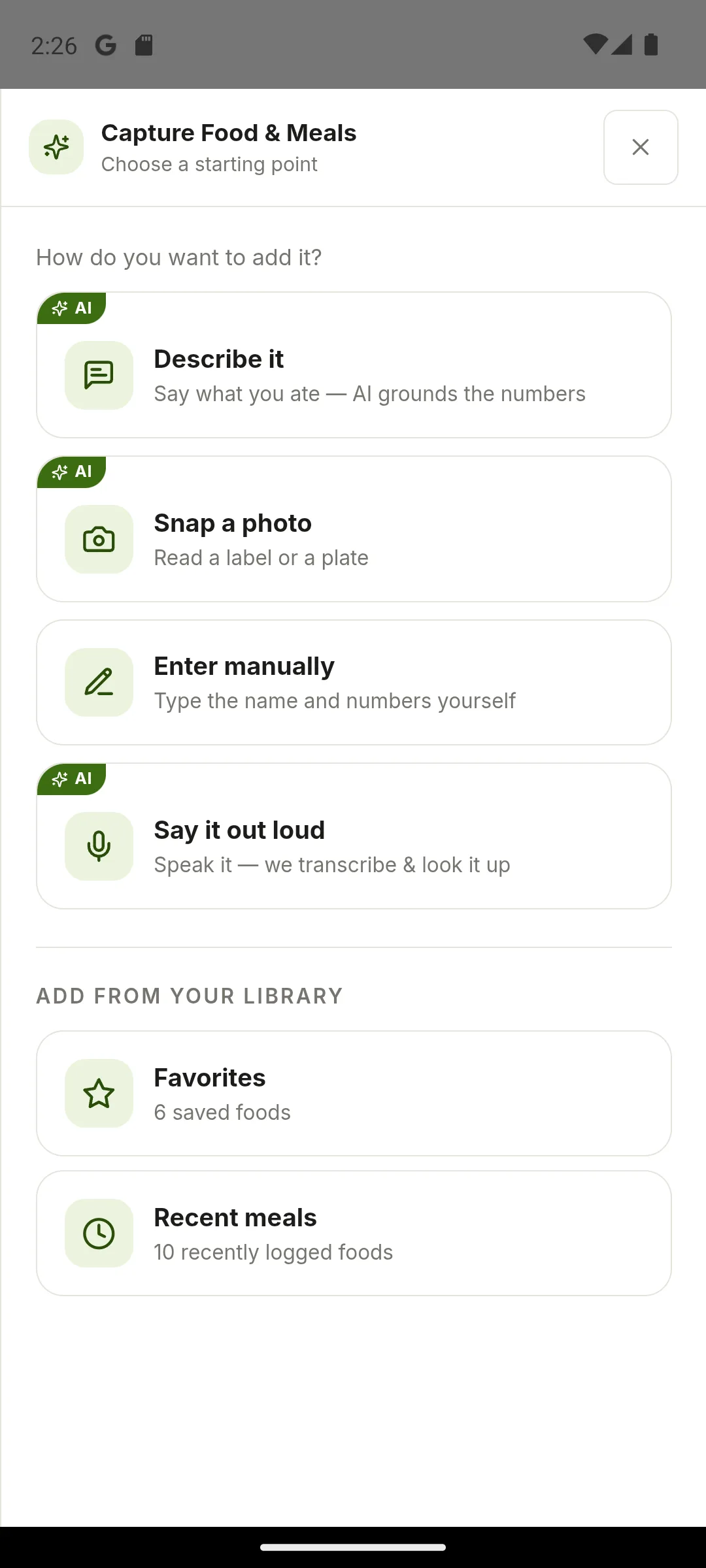
Search and manual entry
Find a food record or create your own, with portions and nutrient detail you can review.
Barcode scanning
Start from product data and confirm the match before it's saved.
Photo, voice, and description
Snap a label or a plate, say what you ate, or describe it. AI grounds the numbers and you review the match.
Adaptive targets
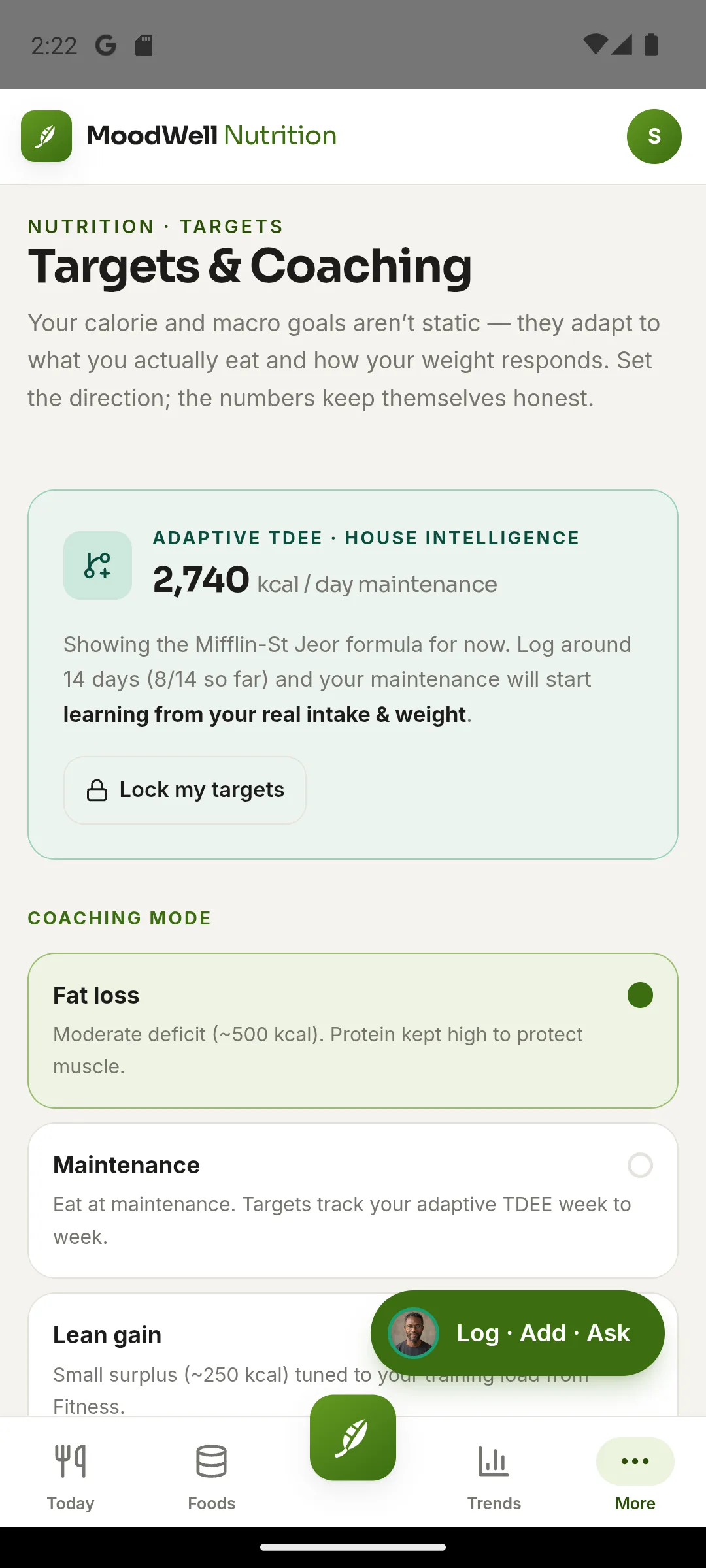
Calorie and macro targets start from the Mifflin-St Jeor formula, then learn from your logged intake and weight after about two weeks.
Recipes and meal planning
Combine foods into recipes or saved meals, check nutrition per serving, and drop meals into the weekly planner.
Hydration and quick-add
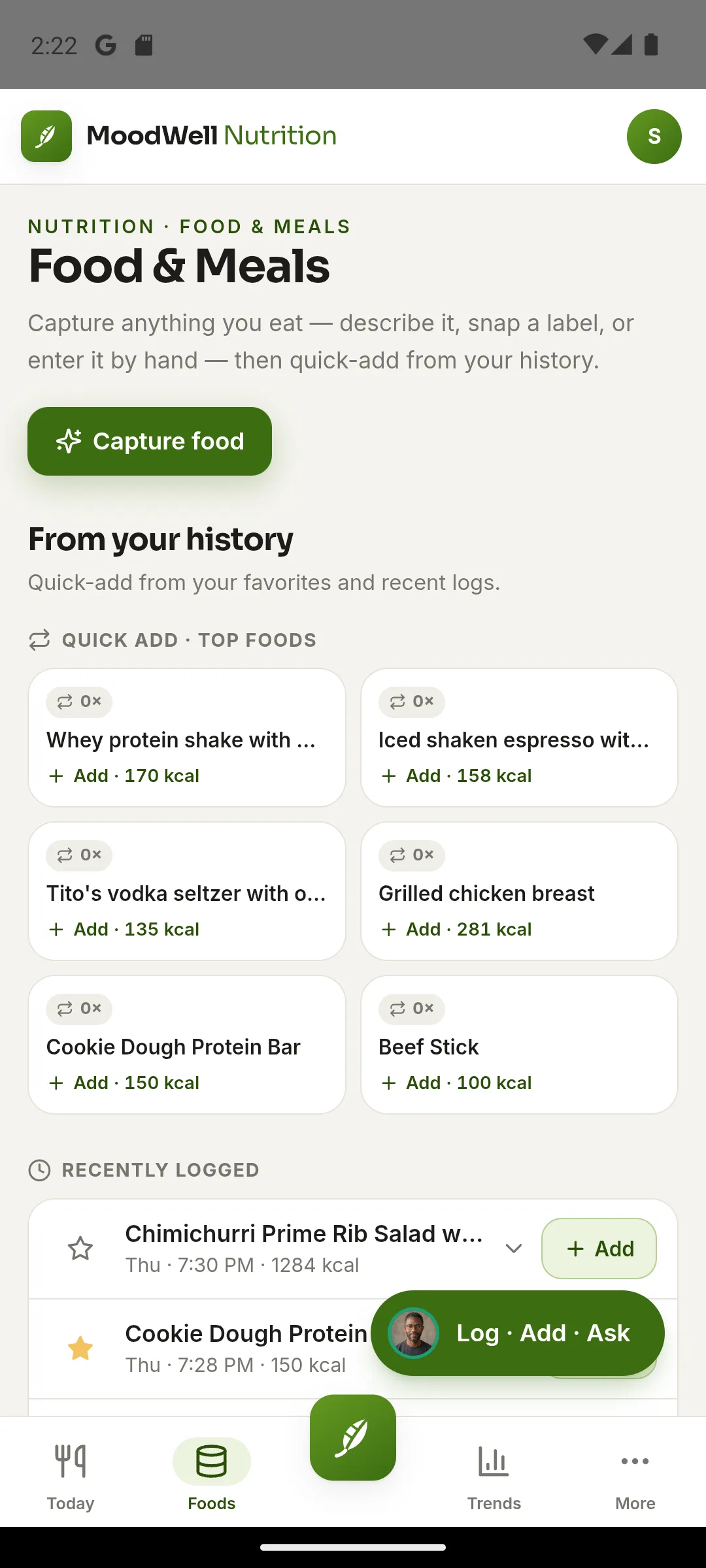
Track water, and re-log favorites and recent meals in a tap.
The calls that shaped it.
- 01
AI capture is opt-in, not the default
Photo, voice, and description capture use AI credits. Search, barcode, manual entry, and favorites never do, so the cheapest path is always one tap away.
- 02
Review every match before it saves
AI and barcode matches arrive as a proposal with an editable portion. Nothing goes in the diary until you confirm it.
- 03
Targets that learn, with a lock
An adaptive maintenance estimate replaces the formula once there's enough logged intake and weight data. People who want fixed numbers can lock their targets.
- 04
Coaching modes connect to training
Fat loss, maintenance, and lean gain set the direction, and lean gain is tuned to your training load from the Fitness layer.
Where AI helps
AI removes friction from capture. The deterministic paths stay free.
Photo capture
Reads a label or a plate and proposes foods and portions.
Credits per capture; re-running a photo costs credits again.
Voice and description
Transcribes or parses what you ate and looks it up.
You confirm the match before it saves.
What should I eat?
A meal-suggestion coach for when you're not sure what fits your day.
Uses credits.
What it won't do.
A model, not a measurement
The adaptive estimate is built from logged intake and weight trends. It models your maintenance; it doesn't measure it.
Not medical advice
Moodwell does not diagnose, treat, prevent, or cure medical conditions.
More of the build.
Fitness
Set-by-set logging, weekly routines, and a strength index built entirely from your own log.
Health
Medication, supplement, GLP-1, and peptide tracking, with a cited safety check that never fakes an all-clear.
Mindfulness
One-minute check-ins, journaling, guided conversations, and 30 short wellbeing tools.
AI & integrations
13 coach personas with identical permissions, a credit model, review-before-save, and read-only Health Connect.
Discoverability
184 pages, a markdown twin for each, llms.txt, and explicit content signals for search and AI assistants.
Try Moodwell.
Android beta applications are open and the iOS waitlist is live. Plans are $9.99 a month or $99 a year, with a 7-day trial.
Building an AI product of your own, or bringing AI into an enterprise team?

